

Sales
Keep each sale clear, from items to change.
A free, easy-to-use POS
for your everyday business.
Free mobile plan. Optional paid upgrades.
View plans and supported platforms
Empower 50,000 businesses.
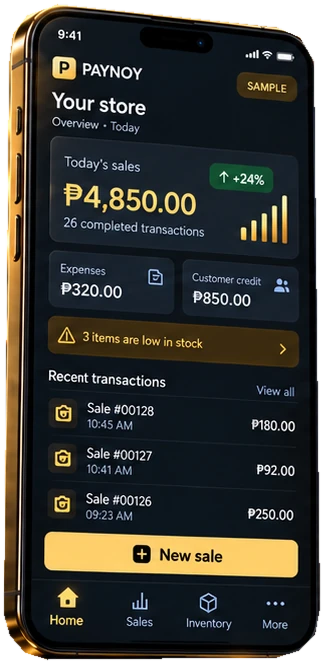
Keep each sale clear, from items to change.
See your products and track stock changes.
Keep day-to-day costs recorded.
Review your business activity in one place.
A CLEAR START
Start with the right local account and enrolled device.
Read the guide →Check names, prices, units and stock in Inventory.
Read the guide →Review the cart and payment, then keep the saved record.
Read the guide →A CLOSER LOOK
App preview · sample data. These are actual app-widget screens from the local appearance candidate, not the installed R28 release.
Choose exact items and quantities, then review payment before confirming.
See the feature →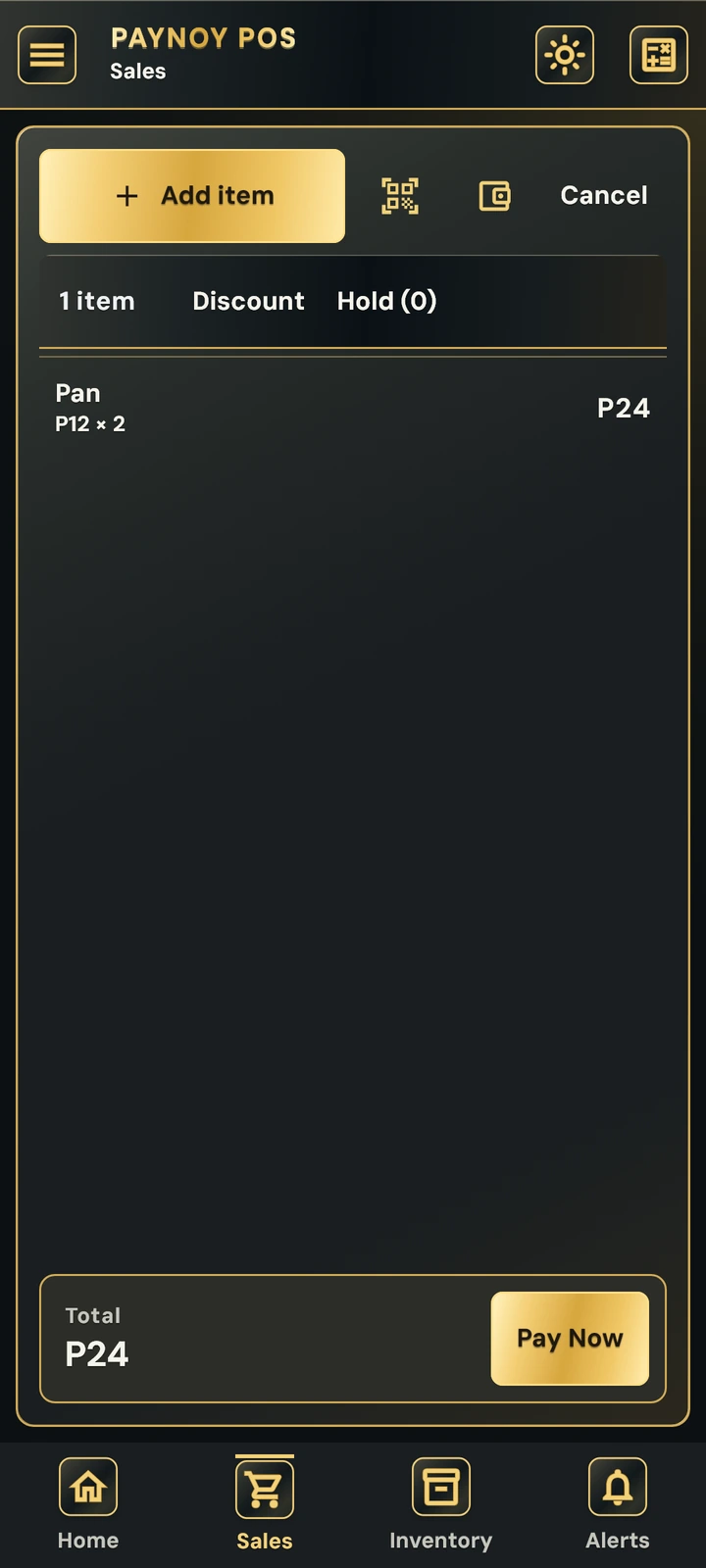
Find your products and review their actual tracked quantity.
See the feature →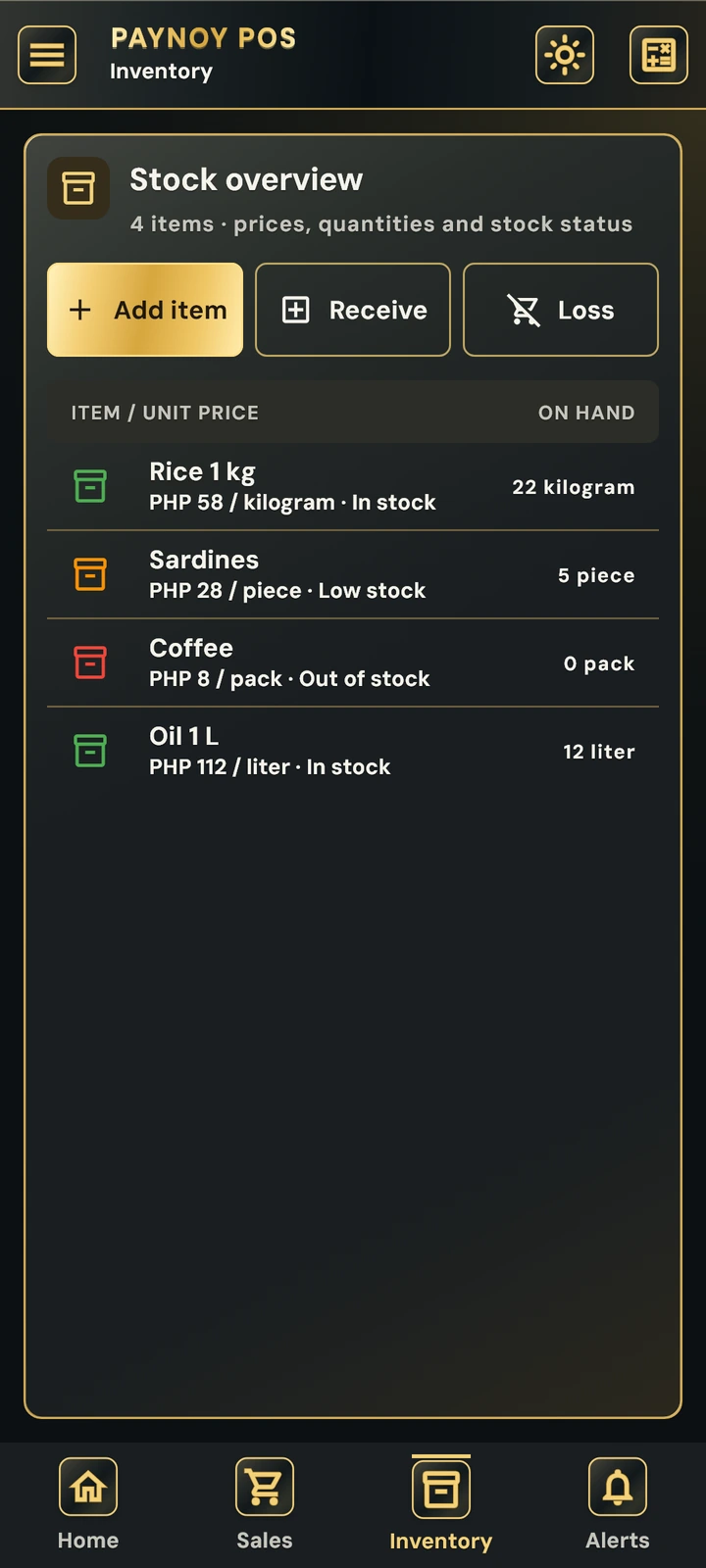
Review committed sales by their receipt identity. Server receipt remains a separate fact.
See the feature →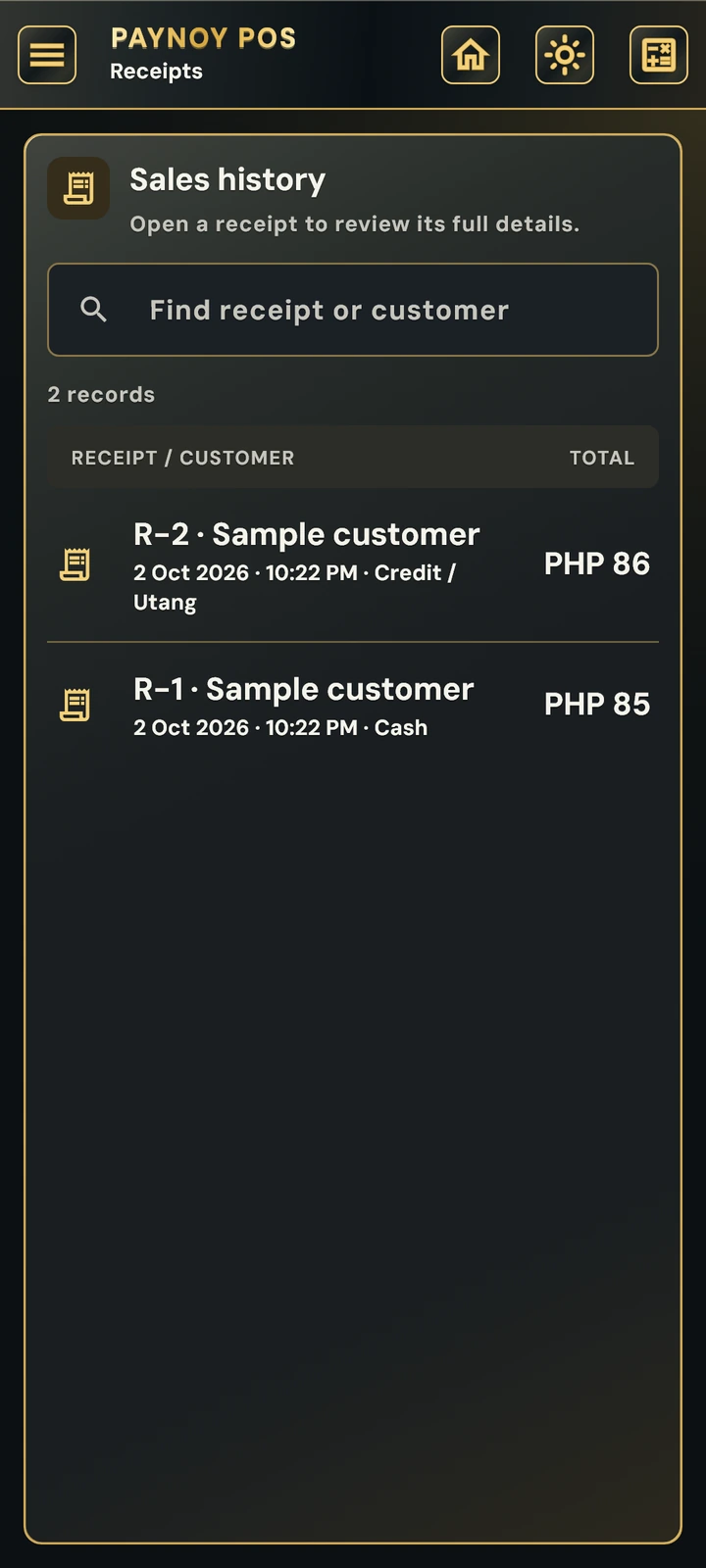
KEEP A SEPARATE COPY
Use Backup All Data for supported store records. Keep the encrypted copy and recovery material safely, away from the POS device. Sync is not a guaranteed full backup.
Learn about backups →YOUR SETUP
Approved direct APK distribution, with version and update guidance in one place.
Android release information ↓Device access and optional features depend on the actual disclosed plan. Windows operations require the approved subscription policy.
Check available setups →A FEW USEFUL ANSWERS
Supported local selling can continue within the app’s actual access rules. Initial enrollment, renewal, server delivery and guarded recovery depend on the trusted server. Offline does not mean the phone cannot fail.
No. Manual e-wallet records are bookkeeping. Complete and verify the actual provider transaction separately before recording it.
No. Local save, server receipt and a recoverable backup are different. Keep a usable encrypted copy and its recovery material away from the POS device.
Use the verified release-information page on this site. This is a direct APK channel; no Google Play listing is currently claimed.
Not yet. The screenshots show a local appearance candidate with sample data. R28 is the separately approved downloadable release.
No lifetime or universal free offer is promised. Platform access and eligible features follow the actual disclosed plan. Check Plans and platforms before choosing a setup.
FOR EVERYDAY BUSINESS
Explore the app and its practical guides.
Android release information ↓